
For parents
Going or can't go, one tap.
The football club app for parents: Going or Can't go from the email, the meet time and map on one page, and your say over what is shared.

Your week with it.
A normal week for a parent, and what the app does at each step.
Tap Going. Or Can't go.
Every match and training reminder comes with two buttons. Tap one in the email, no sign-in needed, and change your answer any time before it starts.
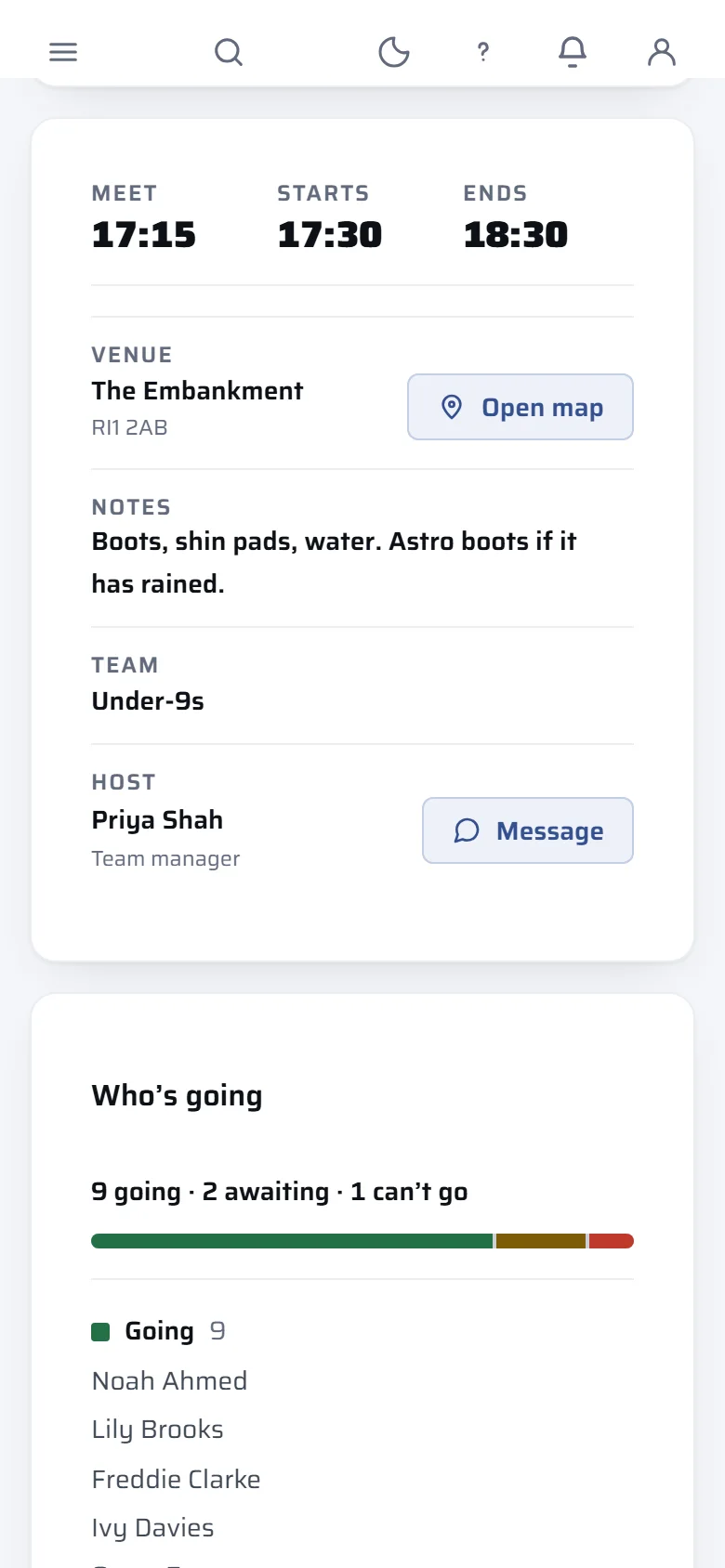
Meet time, kick-off, map.
Every match and training has its own page with the meet time, the kick-off and a link that opens the ground in maps. See who else on your child's team is coming.
Their record, in your hands.
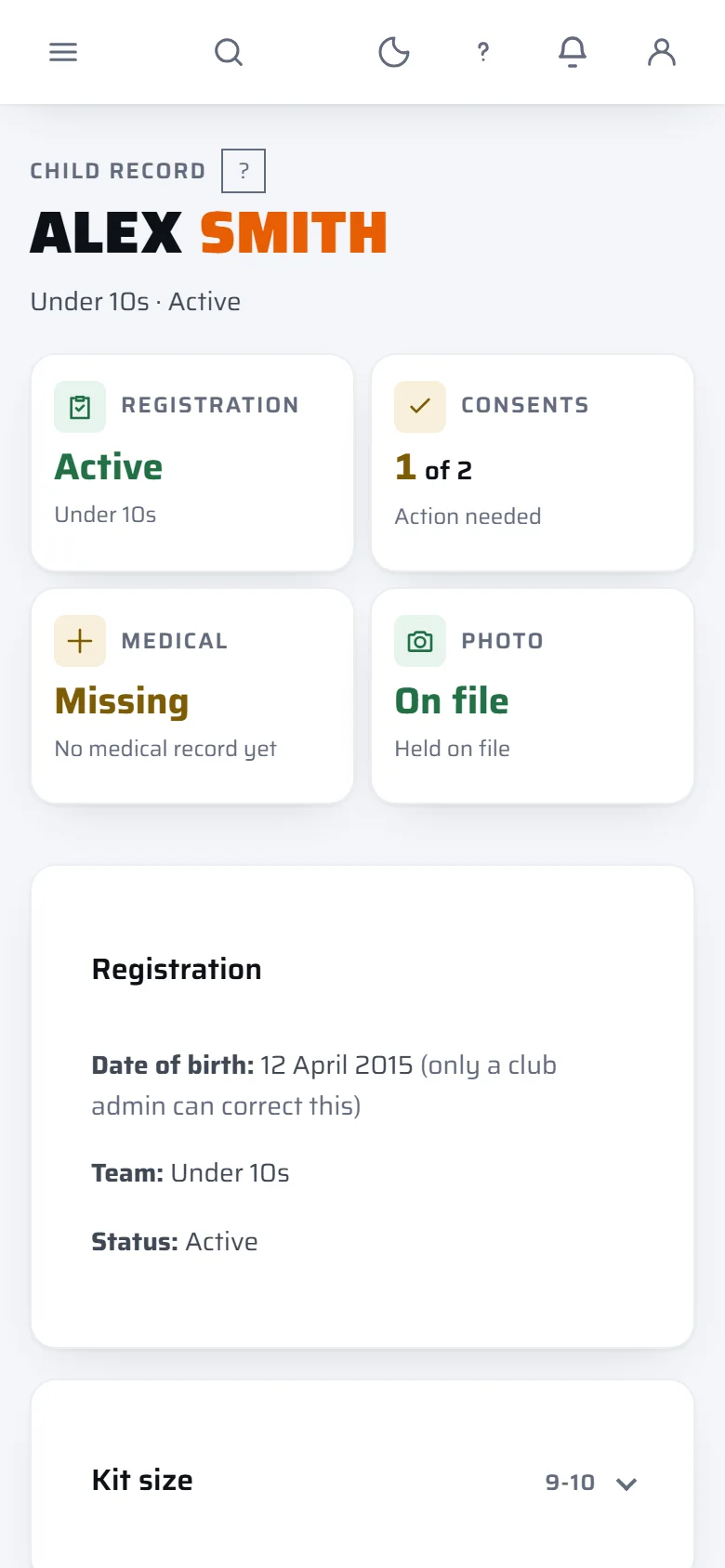
Keep your child's contacts, medical notes and photo up to date yourself. Name, date of birth and team are changed by the club only.
Three separate yes or no choices.
Photos, names and match stats are three separate consents. You can withdraw any of them later, and saying no never costs a child their place.
Reply to the manager, privately.
The manager's team messages land in the app, and your reply goes to the manager alone, never to the whole group.
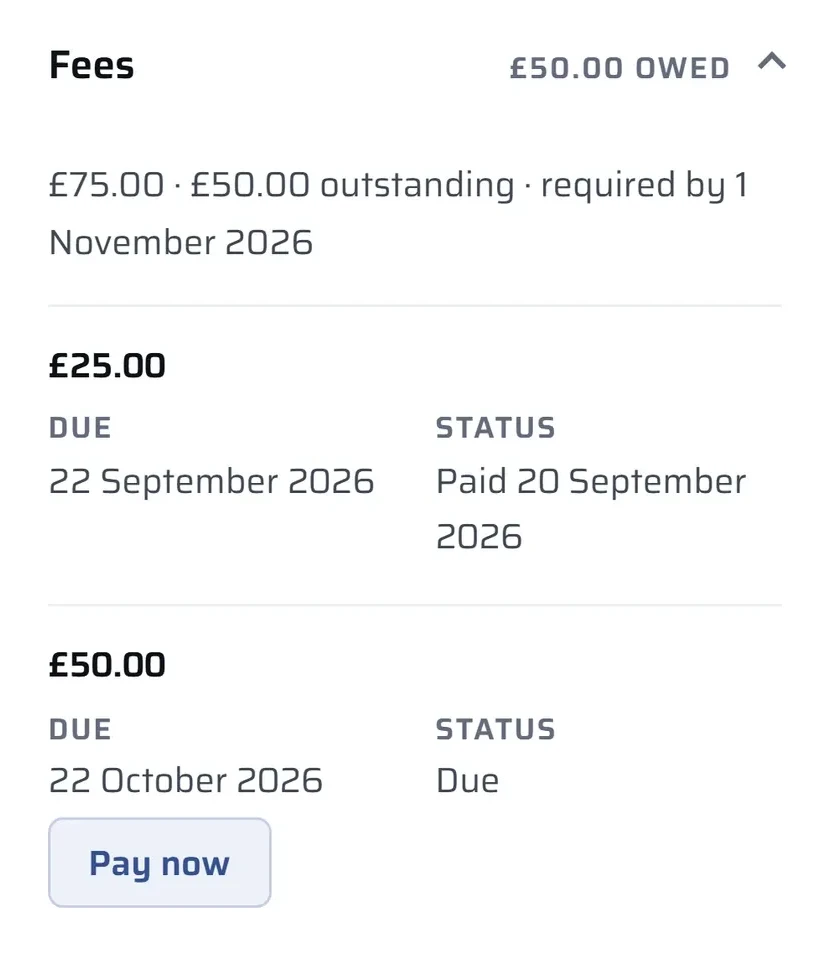
Fees, and Pay now.
See what is owed and what is paid. If your club takes cards, Pay now settles an instalment in a few taps. You pay the price the club set, with no extra card fee line.
Everything it does for you.
Every feature a parent gets, one line each, with the plan your club needs for it.
Going or Can't go from the email
Two buttons in the email, no sign-in needed. Change your answer any time before it starts.
Club and upEvent pages
The meet time, the kick-off and a link that opens the ground in maps.
Club and upWho's going
See who else on your child's team is coming.
Club and upReply to the manager
Your reply goes to the manager alone, never to the whole group.
Club and upFees and Pay now
See what is owed and what is paid. If your club takes cards, Pay now settles an instalment.
Club and upNo extra card fee line
You pay the price the club set.
Club and upThree separate consents
Photos, names and match stats, each a yes or no you can withdraw later.
Every planYour child's record
Keep contacts, medical notes and photo up to date. Name, date of birth and team are the club's to change.
Every planAdd another child
Add a child yourself and the team's manager reviews the request.
Club and upHoliday camps
If your club runs holiday camps, book and pay in the app. The refund rule is shown before you pay.
ProPhone alerts
Alerts show the team and the kind of update, never a child's name.
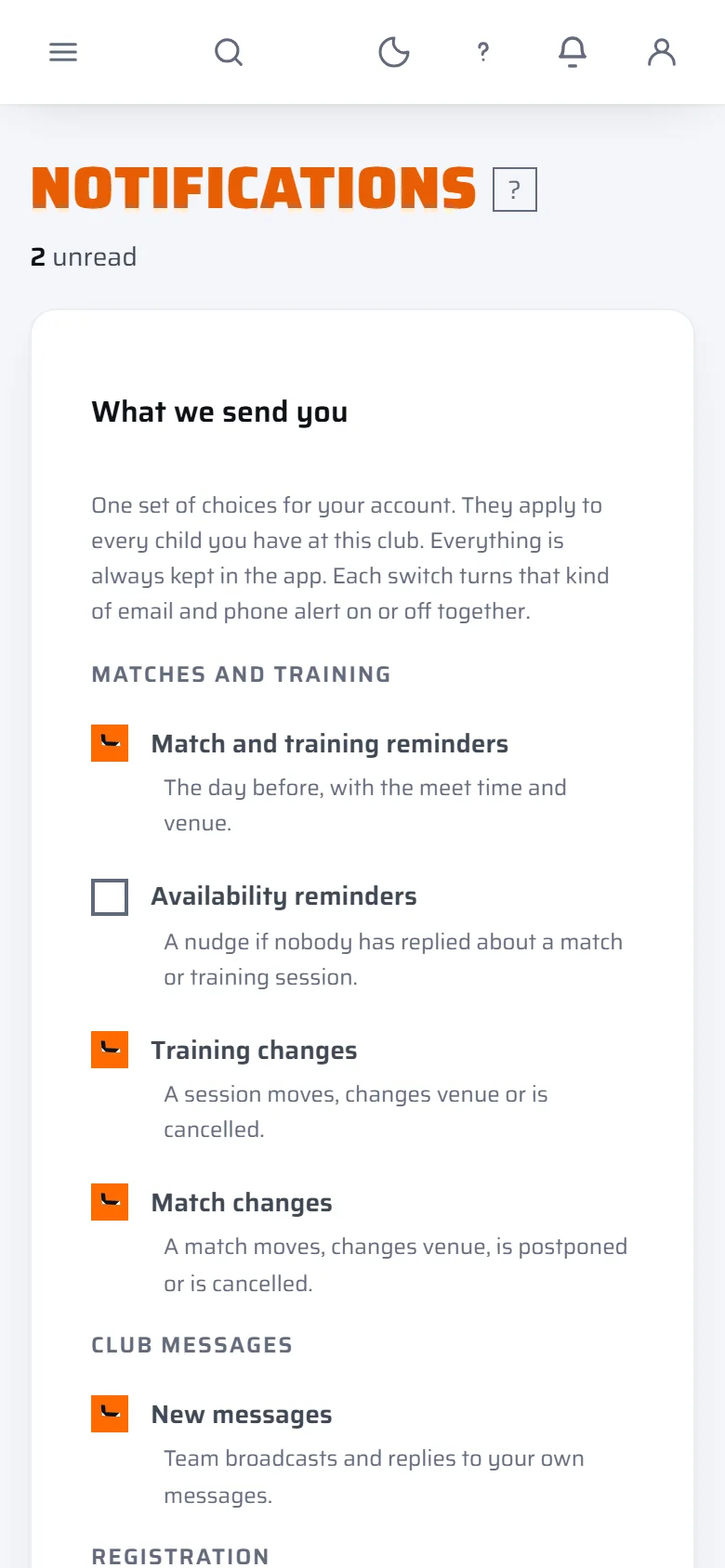
Every planNotification switches
Choose which updates you want, one switch per type.
Club and upYour data
Download everything the club holds about your children, or ask the club to delete it. The club carries out the deletion.
Club and upSign in with no password
A link or a six digit code sent to your email. Nothing to remember.
Every plan
The tag shows which plan a club needs. Plans are priced per club, never per player. See every feature, the three prices and how safeguarding works.
What it never does.
These are how the app works for every club on every plan. None of them is a setting someone has to remember to switch on.
Read the safeguarding policy- Results and tables for under 12 sides are never published on the club's website, in line with FA rules. Families on the team still see their own scores in the app.
- Public squad pages list adult players only, on open age sides, and only where the club has the players' agreement. No under 18 ever appears on one.
- Where a family agrees to their child's name being shown, the default is first name and one initial.
- A child's photo is kept private, never on a public link, and location data is removed from it when it is uploaded.
- There is no private chat between an adult and a child. Messages go to the parent.
- A 16 or 17 year old gets their own week and record. No fees, no private messages, and they never appear on the club's website.
Phone alerts show the team and the kind of update, never a child's name. The email reminders do name your child, because they are addressed to you.
Questions parents ask first.
Straight answers to what parents ask before they trust an app with their child's details. If yours is not here, email info@thefullsquad.com and a person will reply.
Do I need a password?
No. You sign in with a link or a six digit code sent to your email. The Going and Can't go buttons in a reminder email need no sign-in at all.
Can I change my answer after I tap?
Yes, any time before the match or training starts.
Can other families see my child's name?
Families on the same team can see who else is coming, so your child appears in that team's Who's going list. On the club's public website, a name is only shown where you have agreed to it, and the default is first name and one initial. A child's photo is kept private.
Can I pay through the app?
If your club takes cards, Pay now settles an instalment in a few taps, and you pay exactly the price the club set. Some fees, such as a match fee entered by the club, are settled with the club directly.
What can I say no to?
Photos, names and match stats are three separate yes or no choices. You can withdraw any of them later, and saying no never costs a child their place.
Can I see or delete what the club holds about my child?
You can download everything the club holds about your children, or ask the club to delete it. The club carries out the deletion.

Tell your club.
Clubs choose the app, not parents. The quickest way to get it onto your child's team is a nudge to the club secretary, and we have written the email for you.